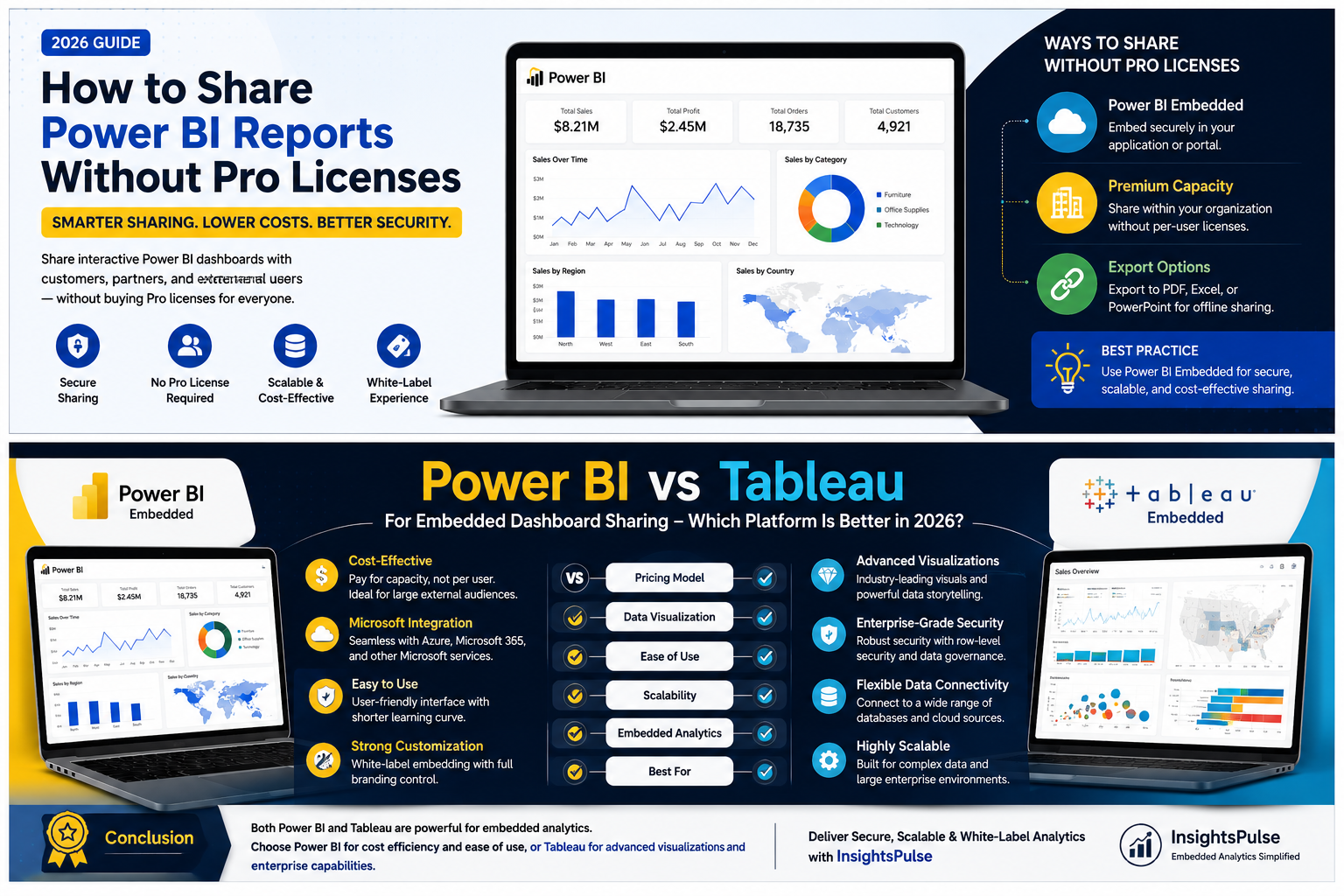
How to Share Power BI Reports Without Pro Licenses
Power BI has become one of the most widely used business intelligence platforms for creating interactive dashboards and reports. While it's easy to build insightful visualizations, many businesses face a common challenge when it's time to share them with clients, customers, vendors, or external stakeholders.
Do you really need to purchase a Power BI Pro license for every user?
For organizations serving dozens—or even thousands—of external users, buying individual licenses quickly becomes expensive and difficult to manage. Fortunately, Microsoft provides alternative ways to share reports more efficiently, and platforms like InsightsPulse make the process even simpler.
In this guide, you'll learn the best methods to share Power BI reports without requiring every viewer to have a Pro license, along with the advantages, limitations, and best practices for secure report sharing.
Why Sharing Power BI Reports Can Be Challenging
Power BI is designed with security and governance in mind. By default, reports shared through the Power BI Service require appropriate licensing and user authentication.
This works well for internal teams but becomes less practical when you need to provide dashboards to:
- Customers
- Clients
- Franchise owners
- Dealers
- Vendors
- Business partners
- External consultants
As your audience grows, managing individual licenses can increase both administrative effort and licensing costs.
Understanding Power BI Licensing
Before choosing a sharing method, it's important to understand how Microsoft licenses Power BI.
The main licensing options include:
- Power BI Free – Suitable for creating personal reports but with limited sharing capabilities.
- Power BI Pro – Enables collaboration and report sharing within organizations.
- Power BI Premium Per User (PPU) – Adds advanced features for licensed users.
- Power BI Premium Capacity – Supports organization-wide sharing and larger workloads.
- Power BI Embedded – Designed for embedding reports into customer-facing applications and portals.
The right choice depends on who needs access and how the reports will be consumed.
Can You Share Power BI Reports Without Pro Licenses?
Yes—but the best method depends on your business requirements.
Here are the most common options.
Option 1: Use Power BI Embedded
Power BI Embedded is Microsoft's recommended solution for organizations that need to share reports with external users.
Instead of purchasing individual licenses for every customer, businesses pay for dedicated Azure capacity and embed reports into their own website, customer portal, or SaaS application.
Benefits
- No individual Pro licenses for external viewers
- Secure authentication
- White-label experience
- Seamless customer access
- Better scalability
- Full branding control
This is the preferred approach for businesses that provide analytics as part of their products or services.
Option 2: Power BI Premium Capacity
Organizations with Power BI Premium Capacity can share reports with users inside their organization without requiring every viewer to have a Pro license.
This option works well for large enterprises but is generally less suitable for customer-facing portals because it is primarily designed for internal collaboration.
Option 3: Publish to Web (Not Recommended)
Microsoft offers a Publish to Web feature that creates a public link for reports.
Although this doesn't require Pro licenses for viewers, it comes with significant drawbacks:
- Anyone with the link can access the report.
- Reports may be indexed by search engines.
- Sensitive business data becomes publicly accessible.
Because of these security risks, Publish to Web should only be used for non-confidential information intended for public viewing.
Option 4: Export Reports
Another alternative is exporting reports as:
- PowerPoint
- Excel
- Images
While useful for static reporting, exported files lose interactive features such as filtering, drill-downs, and real-time updates. They are best suited for one-time reporting rather than ongoing analytics.
Why Power BI Embedded Is the Best Choice
For businesses that regularly share dashboards with external users, Power BI Embedded provides the best balance of security, scalability, and cost efficiency.
With Embedded, users access reports directly through your application or portal without needing Microsoft accounts or individual Power BI licenses.
This creates a smoother experience while giving you full control over branding and user management.
Common Use Cases
Power BI Embedded is ideal for:
SaaS Platforms
Deliver analytics directly within your software.
Marketing Agencies
Provide branded dashboards for multiple clients.
Financial Services
Offer secure performance reports to customers.
Healthcare Organizations
Share analytics with authorized partners while maintaining data security.
Manufacturing Companies
Give distributors and dealers access to operational dashboards.
Challenges of Building Your Own Embedded Solution
Although Power BI Embedded offers flexibility, implementing it from scratch can require significant development effort.
Common challenges include:
- Azure configuration
- Secure authentication
- User permission management
- Token generation
- Capacity monitoring
- Performance optimization
- Ongoing maintenance
Without experience, deployment can become complex and time-consuming.
How InsightsPulse Simplifies Power BI Sharing
InsightsPulse removes much of the complexity associated with Power BI Embedded by providing a ready-to-use analytics portal.
With InsightsPulse, businesses can:
- Securely share Power BI dashboards
- Eliminate the need for individual customer licenses
- Create fully branded, white-label portals
- Manage users from a centralized dashboard
- Control report access with role-based permissions
- Embed dashboards into existing websites or applications
- Deliver a seamless user experience
Instead of spending months developing a custom solution, organizations can launch secure analytics portals quickly and efficiently.
Best Practices for Secure Report Sharing
To ensure secure and efficient report distribution:
- Use role-based access controls.
- Implement row-level security (RLS).
- Avoid sharing confidential reports using public links.
- Monitor report usage regularly.
- Optimize dashboards for performance.
- Keep authentication systems up to date.
- Regularly review user permissions.
Following these practices helps protect sensitive data while providing users with a reliable reporting experience.
Power BI Pro vs Power BI Embedded
Feature | Power BI Pro | Power BI Embedded |
|---|---|---|
External Users | Limited | Excellent |
White-Label Branding | No | Yes |
Microsoft Login Required | Usually Yes | No |
Customer Portals | No | Yes |
Scalable Sharing | Limited | Excellent |
User Experience | Standard | Fully Customizable |
For organizations serving external customers, Embedded is typically the more flexible and cost-effective option.
Frequently Asked Questions
Can I share Power BI reports without buying Pro licenses for every user?
Yes. By using Power BI Embedded, you can securely share reports with external users without requiring each viewer to have a Pro license.
Is Power BI Embedded secure?
Yes. It supports enterprise-grade security, including Azure Active Directory integration, row-level security, and secure authentication.
Is Publish to Web safe?
Only for publicly available information. It should never be used for confidential or business-sensitive data.
Can I embed Power BI reports in my website?
Yes. Power BI Embedded allows businesses to integrate interactive dashboards into websites, customer portals, SaaS applications, and internal systems.
Which option is best for client reporting?
For agencies, SaaS providers, and businesses serving external customers, Power BI Embedded combined with a platform like InsightsPulse offers the most secure, scalable, and professional solution.
Conclusion
Sharing Power BI reports with external users doesn't have to mean purchasing a Pro license for every viewer. While Microsoft offers several sharing options, Power BI Embedded stands out as the most secure, scalable, and cost-effective solution for customer-facing analytics.
By leveraging InsightsPulse, businesses can simplify deployment, reduce licensing costs, and provide clients with a seamless, white-label reporting experience. Whether you're an agency, SaaS provider, or enterprise, choosing the right sharing strategy can improve user satisfaction while keeping analytics secure and easy to manage.
Ready to simplify Power BI report sharing? Discover how InsightsPulse helps you securely deliver interactive dashboards without the complexity of managing individual licenses.