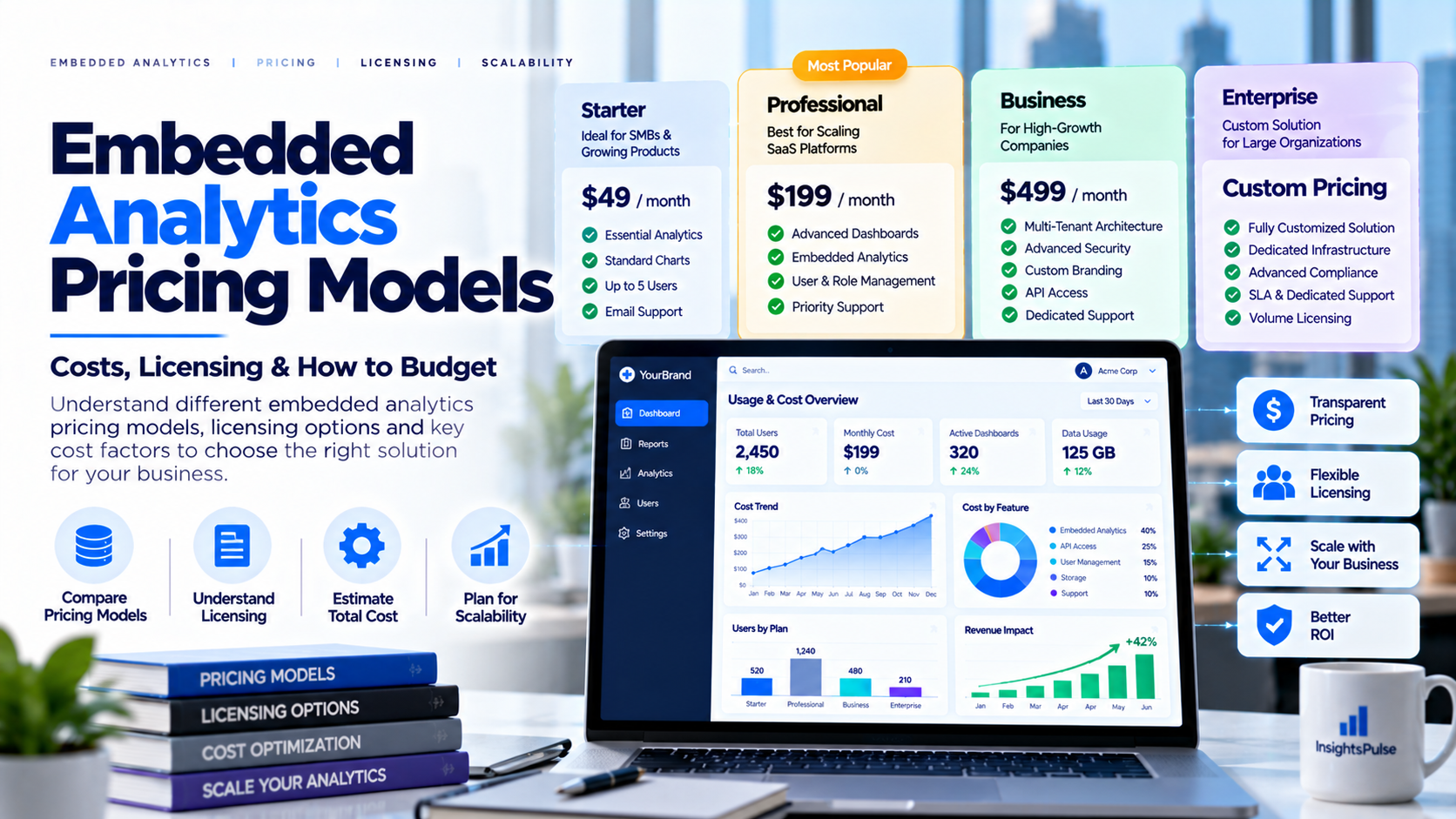
The cost of embedded analytics is rarely just the subscription price displayed on a pricing page. A budget may include BI licenses or capacity, the analytics platform, implementation, identity management, data preparation, monitoring and ongoing administration. A model that works for ten users may become expensive at a thousand users, while another model may suit predictable high-volume usage. Start by defining how customers will use analytics, which reports you need to deliver and who operates the service.
What Is Included in the Cost?
Embedded analytics costs can combine the underlying BI
technology, the portal or embedding layer, data storage and processing,
development, support and internal operating time. Ask vendors to separate
recurring charges from one-time implementation. Confirm whether a quote
includes external users, admin accounts, branding, custom domains, dashboards,
refreshes, data connectors and support. A low starting price is not a complete
estimate without these details.
Common Pricing Models
Per-user pricing
increases with licensed or active users and can be predictable when the user
base is stable. Capacity-based pricing
depends on the compute or capacity needed for the selected BI deployment and
its usage peaks. Usage-based pricing
may depend on sessions, queries, data volume or API calls and requires
monitoring. Flat subscriptions or tiers
charge a recurring fee with limits on users, features or deployment. Enterprise pricing may be negotiated
for scale, custom deployment, support or contractual requirements. The details
vary by vendor, so compare the billing unit—not just the headline price.
BI Licensing Is a Separate Question
The cost of the BI platform and the cost of a portal or
delivery layer are not necessarily the same. A portal can help organize access
and present reports, but it does not automatically remove underlying licensing,
capacity or usage obligations. Power BI and Tableau have different terms and
deployment models. Do not rely on broad online claims that every external user
always needs one specific license—or that no license is ever required. Check
current official vendor guidance for your exact architecture before calculating
cost.
Build a Total-Cost-of-Ownership Model
Create a 12-month and 36-month estimate that includes
platform subscription, BI licensing or capacity, implementation, data
operations, administration, security review, support and growth. Model
additional users, new tenants, refresh frequency, data volume and peak usage.
Use low, expected and high scenarios, and document every assumption. Include
internal staff time rather than treating engineering and administration as
free.
Illustrative Comparison
Imagine a SaaS business plans to deliver dashboards to 200
users across 40 customer organizations. These figures describe a hypothetical
scenario, not a market quote. A custom build requires estimates for
engineering, visualization, identity, testing and maintenance. A BI embedding
approach requires estimates for licensing or capacity, development and
operations. A managed portal requires estimates for the portal subscription,
setup and any underlying BI costs that still apply. Compare all options over the
same period with the same user count, report complexity, security requirements
and support expectations.
Forecast Growth and Avoid Surprises
Estimate active users, peak concurrency, dashboards per
customer, refresh frequency and expected growth. Ask whether a vendor counts
invited users, registered users, monthly active users or concurrent users;
these measures are not interchangeable. Confirm limits on reports, data
sources, refreshes, exports and support. Set alerts for usage approaching plan
limits and reforecast after the initial rollout using real data.
Questions to Ask Vendors
Which costs are included? What counts as billable usage? Are
external customers covered by the stated licensing model? Are production and
development environments priced differently? What limits apply to dashboards,
sources, refreshes and exports? What are the overage charges? Which branding
and access-control features are included? What support is available? Can data
be exported or migrated later? Which assumptions would materially change the
quote?
Evaluating InsightsPulse Pricing
InsightsPulse publishes plan information on its pricing
page. Because prices, limits and included features can change, use the live
page as the source of truth. Confirm the user count, supported dashboard
technologies, branding needs, access controls, custom-domain requirements and
any underlying BI licensing. For a customer-facing or multi-tenant deployment,
validate the complete architecture and cost before production.
Frequently Asked Questions
How much does
embedded analytics cost?
It depends on the platform, pricing model, users,
capacity, implementation and security requirements.
Is per-user pricing always more expensive?
No; it can be
predictable for stable user groups.
Does
a portal subscription include BI licensing?
Do not assume so-confirm the
exact terms.
How should vendors be
compared?
Compare total cost over the same time horizon with equivalent
usage and security assumptions.
How
can costs be controlled?
Forecast usage, monitor limits, optimize data and
reports, and review actual adoption.
Conclusion
The best embedded analytics pricing model is the one that fits your usage and growth pattern—not simply the lowest starting price. Compare subscription, underlying BI licensing, implementation and operations together, and verify current terms before signing. Use the InsightsPulse pricing page as a starting point, then validate your own scenario with realistic usage assumptions.