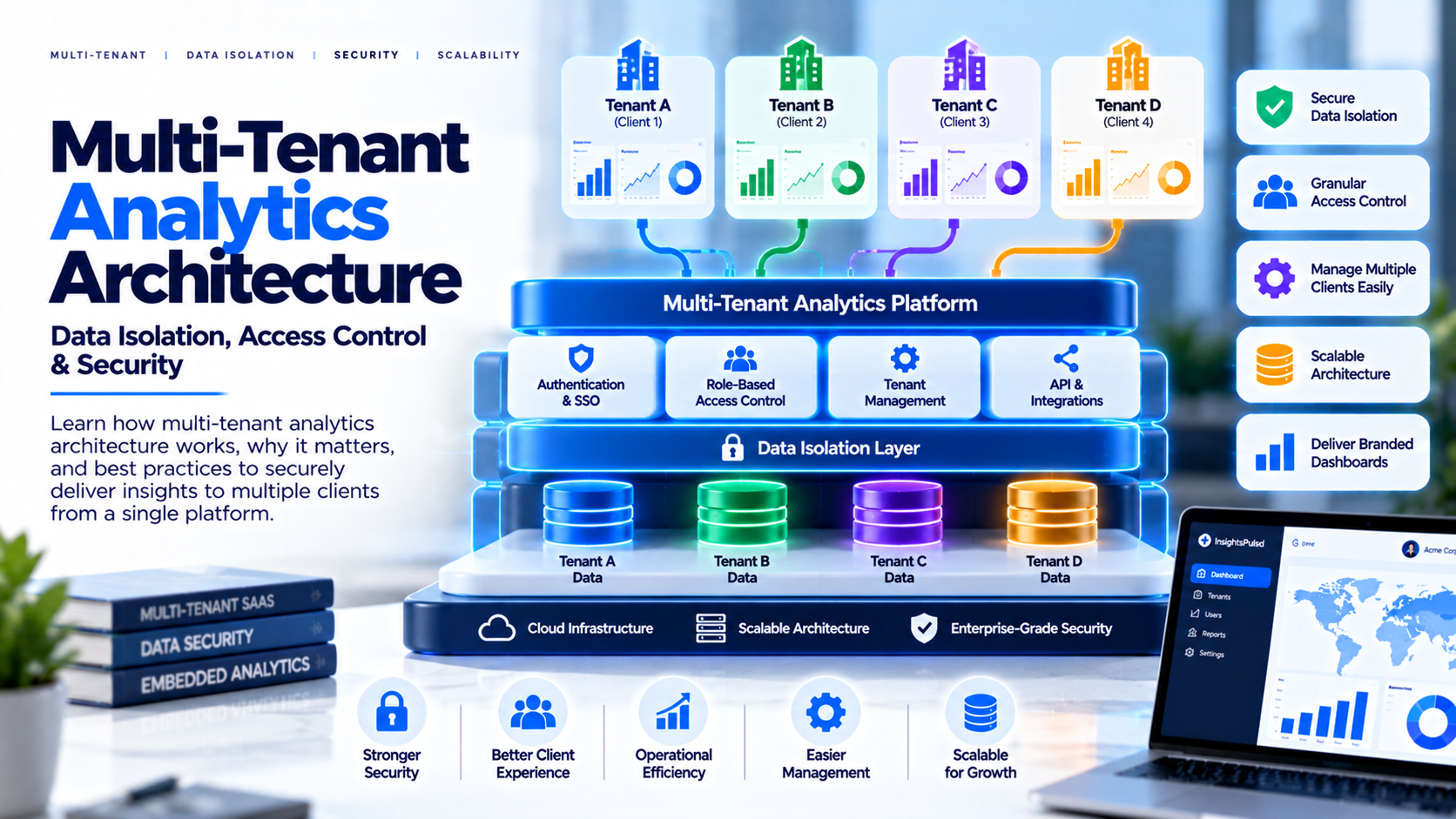
When a SaaS company serves multiple customer organizations, analytics introduces a critical responsibility: each customer must see only the data they are authorized to access. A polished dashboard can still be unsafe if tenant boundaries are enforced incorrectly. Multi-tenant analytics architecture defines how identities, data, dashboards, permissions and infrastructure work together. Security should be part of the design from the beginning, not a filter added just before launch.
What Is Multi-Tenant Analytics?
Multi-tenant analytics is an environment used by multiple
customer organizations, where each tenant receives access to its permitted data
and resources. Tenants may share infrastructure while remaining logically
separated, or use more isolated resources when requirements justify it.
Examples include SaaS applications, reseller portals, franchise reporting,
customer success dashboards and software that provides analytics to business
clients. Because a tenant may contain multiple users and roles, the design must
handle both organization-level and individual permissions.
Choose an Isolation Model
A shared data model with tenant-aware filtering can be
efficient, but it requires reliable enforcement and rigorous testing. Separate
datasets or workspaces may simplify some isolation and customization needs, but
can increase cost and administration. A hybrid design can use shared resources
for standard tenants and dedicated resources for customers with special
requirements, although this adds operational complexity. No model is
automatically safest in every context. Evaluate data sensitivity, platform capabilities,
scale, customer contracts and operational skills.
Identity and Authorization
Authentication establishes a user's identity; authorization
determines what that identity may access. Connect the authenticated identity to
a trusted tenant record, then evaluate the requested report and action against
policy. Use least privilege and separate administrative roles from ordinary
customer roles. Do not blindly trust a tenant ID supplied by a browser. A user
should not gain access to another tenant by changing a URL parameter, report ID
or filter. Protect secrets on the server side and document token lifetimes,
revocation and permission-change behavior.
Row-Level Security and Resource Isolation
Row-level security can restrict which records a user sees
within a shared model, but the rules must be connected to trusted identities
and tested across every access path. Workspace or dataset separation can create
a different boundary, but still requires correct permissions and deployment
automation. Review behavior for exports, drill-through, subscriptions, cached
results, APIs and administrative access—not only the initial dashboard view.
Choose controls based on the actual platform and threat model.
Reference Architecture
A typical flow is: a user signs in; the application
identifies their organization and role; a trusted authorization layer validates
the requested analytics resource; the embedding or reporting layer grants
access through a supported model; the data layer enforces the tenant scope; and
logging captures relevant security and operational events. Components vary by
deployment. The essential requirement is that identity, report access and data
access remain aligned throughout the flow.
Test Before Release
Create accounts for at least two tenants and several roles.
Attempt to access another tenant's dashboards by changing report identifiers,
URLs, filters and request parameters. Test exports, drill-through, saved views,
APIs, scheduled deliveries and removed users. Check that error messages and
logs do not expose sensitive data. Automate repeatable tenant-isolation tests
and include them in release checks. Have qualified security reviewers assess
the design before exposing sensitive customer data.
Operate at Scale
As tenant count grows, manual provisioning becomes
error-prone. Use repeatable onboarding and offboarding, documented
configuration, and monitoring for refresh failures, access errors and resource
saturation. Define how shared model changes are tested, how customer-specific
settings are maintained and how incidents are handled. Monitor performance
across tenants so one customer's workload does not unexpectedly degrade the
experience for others. Backups, recovery, audit logs and change management are
part of the architecture too.
Where a Managed Portal Fits
A managed analytics portal may simplify delivery by
centralizing dashboards, users, navigation and branding. It does not replace
the need to understand how the underlying BI platform handles tenant data and
permissions. InsightsPulse supports dashboard delivery use cases involving
supported Power BI, Tableau, Google Data Studio/Looker Studio and HTML
dashboards. Validate the exact identity flow, tenant-isolation
responsibilities, administrative controls and plan limits with the team. Test
with separate tenants rather than relying on a feature checklist alone.
Frequently Asked Questions
What is the safest
tenant model?
Shared, separate and hybrid designs have different security,
cost and operational trade-offs.
Is
row-level security enough?
It can be an important control, but must be
correctly configured and combined with identity, permissions and testing.
Can users manipulate filters to see another
tenant's data?
A secure design must prevent unauthorized access even when
URLs or parameters are changed.
Should
every customer have a separate workspace?
Not always; choose based on risk,
scale and platform capabilities.
When
should security be tested?
During design, before launch and after material
changes to identity, models or permissions.
Conclusion
Multi-tenant analytics depends on consistent boundaries between identity, authorization, report delivery and the underlying data. Choose an isolation model deliberately, test cross-tenant scenarios, automate administration and monitor the system after launch. Validate your architecture with representative tenant data before exposing dashboards to customers.