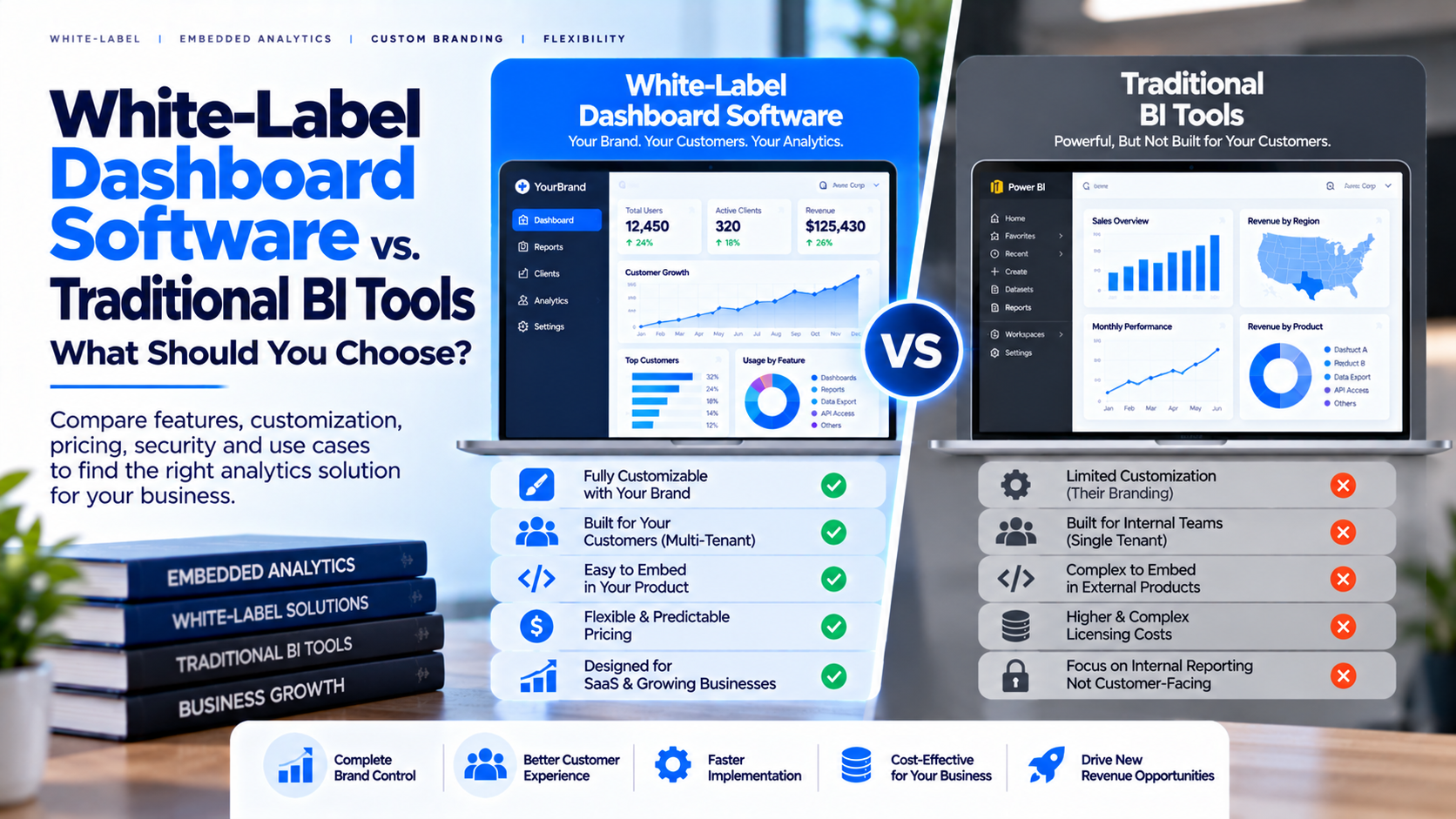
Traditional business intelligence tools are excellent for analyzing data and building reports. Delivering those reports to customers, clients or partners introduces different needs: a branded experience, controlled external access, manageable user administration and a consistent place to find dashboards. White-label dashboard software and traditional BI tools are related, but not interchangeable. One may focus on report creation and analysis; the other may focus on how dashboards are presented and managed for an external audience.
What Is Traditional BI Software?
Traditional BI software helps organizations connect to data,
model information, create visualizations and analyze performance. It is
commonly used by analysts, managers and internal teams to monitor KPIs and
investigate business questions. BI platforms may also support sharing and
embedding, depending on product, licensing and deployment model. However, an
internal analytics workflow does not automatically provide the complete
customer portal experience a business may want.
What Is White-Label Dashboard Software?
White-label dashboard software helps a business present
dashboards through an experience that reflects its own brand. Depending on the
platform, it may support logo and theme customization, a branded portal, user
management, custom domains, report organization and controlled access. The term
can mean different things across vendors: some offer limited color and logo
changes, while others provide a more complete branded experience. Ask which
parts users will see, including login screens, emails, URLs, navigation and
support messages.
Key Differences
Traditional BI emphasizes data analysis and report creation;
white-label software emphasizes branded delivery and access management.
Traditional BI often serves internal analysts, while a portal may serve
customers, partners or clients. Branding depth varies by BI platform, whereas
white-label tools are evaluated specifically for consistent branding. Both
categories require careful security configuration. A portal may reduce delivery
work but still needs correct data and permission setup. Compare licensing,
subscriptions, implementation, administration and support together.
When Traditional BI May Be Enough
A traditional BI tool may be the right choice when most
users are internal employees, existing licenses cover the use case and the
current sharing experience meets business needs. It can also suit teams that
need advanced modeling and exploration. If the main requirement is to create
reports and share them with a limited set of colleagues, another platform may
add unnecessary complexity. Start by verifying that the current tool's sharing
model satisfies licensing and governance requirements.
When a White-Label Portal May Fit Better
A branded portal is worth evaluating when a business
regularly delivers dashboards to external clients, needs to organize reports by
customer, wants a consistent login and navigation experience, or supports
multiple reporting technologies. Agencies may use it to centralize client
reporting; SaaS companies may deliver analytics as part of their service;
consultants may provide ongoing KPI tracking after a project. A logo alone is
not enough if users still cannot find reports or administrators cannot revoke access
quickly.
Questions Before Choosing
Do you need report creation, report delivery or both? Who
will use the dashboards? Which BI tools and formats must be supported? How much
control is needed over branding and domains? How are users authenticated and
removed? How is customer data separated? Which licensing costs still apply? Can
administrators manage many clients? What are the export, audit, support and
migration options? Answer these questions before comparing product demos.
Evaluation Process
Shortlist a few options and test them using the same
representative dashboard. Create accounts for different roles and
organizations. Check branding, navigation, load times, filtering, exports,
access removal and what happens when a user lacks permission. Ask vendors to
demonstrate features included in the proposed plan. Record one-time setup
effort and ongoing administrative work, not just subscription price. Include
product, engineering, security and customer-success stakeholders in the
decision.
How InsightsPulse Can Be Evaluated
InsightsPulse is designed for organizations that need to
deliver supported Power BI, Tableau, Google Data Studio/Looker Studio and HTML
dashboards through a managed analytics experience. Depending on configuration
and plan, relevant considerations may include user management, branding, access
controls and dashboard organization. Review the current product and pricing
pages to confirm included features, then test the workflow with your reports,
intended users and security requirements.
Frequently Asked Questions
Is white-label
dashboard software a replacement for BI software?
Not always; a portal may
handle delivery while a separate BI tool creates reports.
Can traditional BI tools be white-labeled?
Capabilities vary by platform, embedding method and license.
Does white-labeling guarantee security?
No; branding and security are separate requirements.
Which is better for agencies?
A portal may help agencies delivering
branded reports to external clients, while internal analysis may remain in BI
tools.
How should cost be compared?
Include subscriptions, BI licensing, setup, administration, support and growth.
Conclusion
Choose traditional BI when analysis and internal sharing are
the primary needs. Evaluate white-label dashboard software when external
delivery, branding and client administration are central to the workflow. In
either case, verify security, licensing and total cost before production.
Explore InsightsPulse if you need a managed way to deliver supported
dashboards.